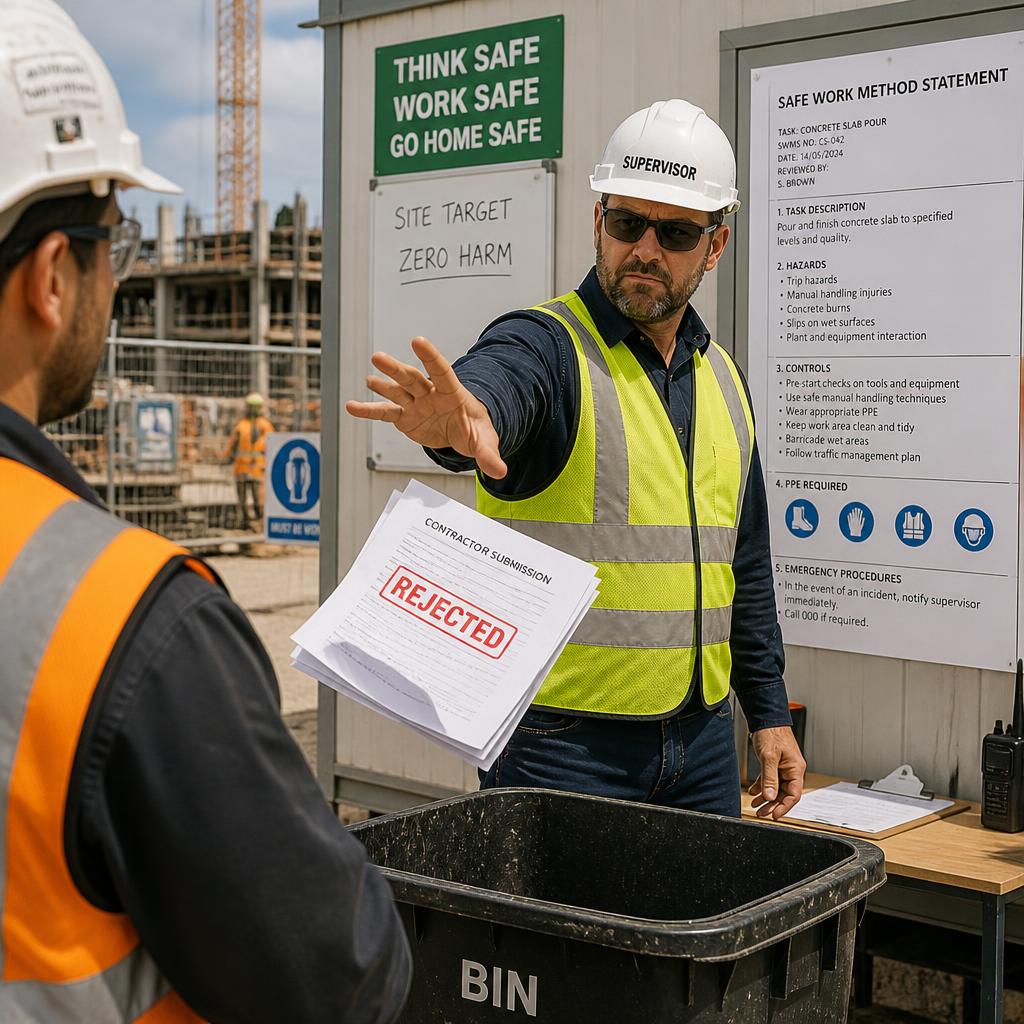
If a site supervisor, builder, or principal contractor has knocked back your SWMS, do not just change the date and send it again. A rejected SWMS usually means the document is too generic, missing site details, does not match the task, or does not explain the hazards and controls clearly enough for the work being done.
The good news: most SWMS problems are fixable. Work through the rejection comments, check the high-risk construction work involved, update the task steps and controls, and make sure the people doing the work understand what has changed before you resubmit.
Last reviewed: 30 June 2026. This article uses national Safe Work Australia guidance and SafeWork NSW regulator guidance as source context. Check your local WHS regulator or competent WHS adviser for state-specific or unusual work.
Quick answer: what should you fix first?
If your SWMS was rejected, start by checking whether it clearly identifies the work activity, the high-risk construction work involved, the hazards, the control measures, the site conditions, the workers responsible, and the review/sign-off process. Safe Work Australia explains that a SWMS sets out the high-risk construction work activities, hazards, and measures to control the risks. Use the rejection notes to make the document specific to the actual job, then brief the workers before sending it back.
In this guide
- Why SWMS get rejected
- Rejected SWMS Fix-It Checklist
- How to make your SWMS site-specific
- Mistakes that can get it knocked back again
- Simple resubmission workflow
- FAQs
Why SWMS get rejected on Australian sites
A SWMS is not meant to be a paperwork exercise that sits in a folder. For high-risk construction work, it should help the people doing and supervising the task understand what work is planned, what could go wrong, and what controls need to be in place. Safe Work Australia’s SWMS information sheet describes a SWMS as a document covering the high-risk construction work activities, hazards, and risk control measures.
Supervisors commonly reject SWMS documents because they cannot see that connection between the paperwork and the job in front of them.
1. The SWMS is too generic
A generic SWMS might list common hazards, but it may not mention the site layout, plant being used, access points, nearby trades, exclusion zones, traffic, weather exposure, or actual work sequence. SafeWork NSW notes that a SWMS should be site-specific and available to workers and supervisors so they understand the hazards, risks, and safety controls that apply at the workplace.
2. The task steps do not match the work
If the SWMS says “general installation” but the crew is cutting, lifting, fixing, working at height, using powered mobile plant, or working near services, the reviewer may not accept it. Your task steps should be plain enough that a worker can follow the planned sequence on site.
3. High-risk construction work triggers are missing
Safe Work Australia lists high-risk construction work examples such as work involving a risk of a person falling more than 2 metres, work in or near a confined space, work on or near energised electrical installations or services, work involving structural alterations requiring temporary support, and work in an area with movement of powered mobile plant. If your job includes one of these triggers, the SWMS needs to address it clearly.
4. Controls are vague or too low-level
“Use PPE” is rarely enough by itself. PPE can be part of the controls, but the SWMS should also show higher-order controls where they apply, such as isolating services, using edge protection, setting exclusion zones, sequencing work differently, using mechanical aids, or following traffic-management arrangements. The Safe Work Australia Construction Work Code of Practice explains SWMS requirements in the context of construction risk management.
5. Worker consultation or sign-off is unclear
A supervisor may ask how workers were briefed, whether they had a chance to raise site-specific issues, and whether the SWMS has been reviewed after conditions changed. The Safe Work Australia interactive SWMS tool is built around preparing, using, and reviewing a SWMS for high-risk construction work, which is a useful reminder that the document should be part of the work process, not just a submission file.
The Rejected SWMS Fix-It Checklist
Use this checklist before you resubmit. It is designed for tradies, subcontractors, builders, and admin staff who need to turn a knocked-back document into something clearer and more site-specific.
| Check | What to look for | Fix before resubmitting |
|---|---|---|
| Rejection comments | Has the supervisor listed missing details, wrong scope, unclear controls, or missing signatures? | Answer each comment directly in the revised SWMS or cover email. |
| Business and project details | Does the SWMS show the correct business, project, site address, principal contractor, date, and responsible person? | Update the document details so they match the job, not a previous project. |
| Scope of work | Does the work description match what the crew will actually do? | Rewrite the scope in plain English and remove unrelated activities. |
| High-risk construction work | Does the job involve work at height, powered mobile plant, services, demolition, excavation, confined spaces, traffic, or other high-risk construction work triggers? | Identify the relevant triggers and connect them to the task steps and controls. |
| Task sequence | Can a worker see the order of work from arrival to pack-up? | Add practical steps such as site set-up, access, isolation, delivery, installation, clean-up, and handover. |
| Hazards | Are the hazards specific to the task, tools, materials, plant, people, and site conditions? | Replace generic hazard lists with job-specific hazards. |
| Controls | Do the controls explain what will be done, who will do it, and when it must be in place? | Make controls practical and measurable, not just “take care” or “wear PPE”. |
| Emergency and incident details | Are first aid, emergency contacts, evacuation points, and incident reporting steps clear? | Add site-specific emergency information from the builder or principal contractor where available. |
| Worker briefing | Have workers reviewed the SWMS before starting the task? | Record names, signatures, dates, and any worker feedback or changes. |
| Review triggers | Does the SWMS explain when it should be reviewed? | Note that it should be checked when the task, site conditions, controls, plant, people, or incident history changes. |
How to make your SWMS site-specific
The fastest way to improve a rejected SWMS is to make it obvious that the document was written or reviewed for the actual job. Do not bury site details in a cover page while leaving the rest of the document generic.
Add the real site context
Include the site address, builder or principal contractor details, work area, access route, delivery area, amenities, emergency assembly point, first aid location, and any known site rules. If the site has traffic-management, exclusion-zone, permit, induction, or access requirements, refer to them in the relevant task steps.
Match the controls to the work sequence
Good SWMS controls are tied to the task. For example, if a roofing crew is working at height, the SWMS should not simply say “fall protection required”. It should explain what controls will be used for access, edge protection, fragile surfaces, weather conditions, tool handling, material movement, and exclusion zones below the work area.
If you need a better starting point for trade-specific work, Safe-R Outcomes has verified pages for roofing SWMS and safety documents, carpentry SWMS templates, and broader construction SWMS templates and safety documents. Use the relevant document as a starting point, then review it against the site and task before use.
Make responsibilities clear
A reviewer should be able to see who is responsible for supervising the work, setting up controls, checking plant and equipment, briefing workers, and stopping work if conditions change. Keep this practical. A small subcontractor might only have one or two people on site, but the SWMS still needs to show how responsibilities will be handled.
Update the SWMS when conditions change
A SWMS should not be treated as finished forever. If the work area changes, new trades arrive, weather creates new risks, equipment changes, or the task sequence changes, review the SWMS before continuing. For complex, unusual, or higher-risk work, get competent WHS advice rather than guessing.
Mistakes that can get your SWMS knocked back again
- Only changing the project name: A new cover page does not fix a generic hazard and control table.
- Leaving old site details in the file: Previous builder names, addresses, dates, or emergency contacts make the SWMS look copied and unchecked.
- Using controls that are not actually available: Do not list equipment, edge protection, permits, spotters, or exclusion zones unless they will be in place.
- Relying only on PPE: PPE may be necessary, but many tasks need stronger controls planned before PPE.
- Skipping worker review: Workers need to understand the SWMS before starting the work, especially when the task or site conditions have changed.
- Ignoring the supervisor’s exact comment: If they asked for a traffic plan reference, service isolation detail, or emergency contact, answer that item specifically.
Blank template, free template, or pre-filled SWMS?
A blank or free SWMS template can help you understand the headings you need, but it still leaves you to identify the job-specific hazards, controls, high-risk construction work triggers, and site details. That may be fine if you have the time and WHS knowledge to complete it properly.
A pre-filled SWMS can save time because it gives you a more practical starting point for a trade or task. It should still be checked, edited, and approved for the actual site. No template can guarantee compliance or replace a site-specific risk review, worker consultation, or competent advice where the work is complex.
If you want a practical starting point, browse Safe-R Outcomes’ industries and professions safety document pages and choose the closest match for your trade or business. If you have product or service questions before downloading, the FAQs page may help.
Simple workflow for resubmitting a rejected SWMS
- Read the rejection note carefully. Highlight every item the supervisor wants fixed.
- Check the task scope. Confirm exactly what work your crew will perform and remove unrelated tasks.
- Identify high-risk construction work. Compare the task against the Safe Work Australia high-risk construction work examples.
- Update hazards and controls. Make them specific to the site, sequence, plant, materials, people, and nearby activities.
- Add site details. Include access, emergency, communication, induction, traffic, exclusion-zone, and principal contractor details where relevant.
- Brief the workers. Make sure the people doing the work understand the revised SWMS and record sign-off.
- Send a clear resubmission email. Explain what changed and attach the updated version number or date.
FAQs about rejected SWMS documents
Can a builder reject my SWMS?
Yes, a builder, principal contractor, or site supervisor may refuse a SWMS if it does not meet the site’s requirements or does not clearly address the work being done. Ask for specific feedback and revise the document rather than arguing over a generic version.
Does a SWMS have to be site-specific?
For high-risk construction work, the SWMS should be relevant to the actual workplace, work activity, hazards, and controls. A generic template can be a starting point, but it should be reviewed and customised for the site.
Can I use one SWMS for multiple activities?
Safe Work Australia’s SWMS information sheet notes that one SWMS can cover work involving multiple high-risk construction work activities. The important point is that the SWMS still needs to clearly address the activities, hazards, and controls for the job.
What if the supervisor asks for controls I cannot provide?
Do not write controls into the SWMS unless they will actually be used. Discuss the issue with the supervisor, builder, or a competent WHS person and agree on workable controls before resubmitting.
Do I need a WHS consultant to fix a rejected SWMS?
Not always. Straightforward issues such as missing site details or unclear task steps may be fixable in-house. If the work is complex, unusual, high-risk, or outside your experience, get competent WHS advice.
What to do next
If your SWMS has been rejected, treat it as a chance to make the document clearer before work starts. Check the rejection comments, update the task steps, make the controls site-specific, brief your workers, and send back a clean revised version.
Need a better starting point? Find the relevant Safe-R Outcomes SWMS or safety document for your trade, then customise it for the job, site conditions, and supervisor requirements before you resubmit.